


01
Buy
Choose destination, package and quantity. Purchase with company details and your own reference.
- Same destinations as on mondomate.org
- Orders and receipts in one place
MondoMate for Business
Bought, distributed and managed in one place
Buy data packages in your company’s name, give every employee their own code, and see whether the eSIM is installed – without access to your people’s private data.

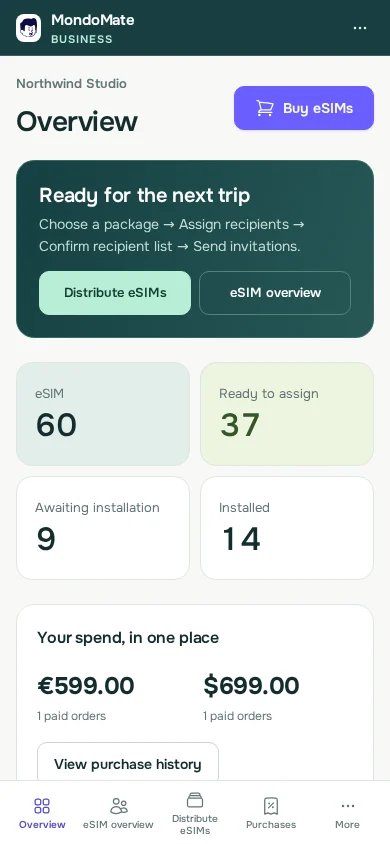
Three steps – and you see the status all the way, without chasing anyone.
Choose destination, package and quantity. Purchase with company details and your own reference.
Assign codes to people one at a time or many at once. Everyone gets their own personal link.
Employees install on their own phone. You see whether the eSIM has been seen installed and whether the package has started.
Buy one-off packages to hand out, or give a traveller a monthly plan. Both live in the same company account.
One-off packages as codes you hand out.
A monthly data plan for one named traveller.
You choose the countries – the traveller keeps the same eSIM
Automatic expansion is not active yet.
Existing Flex packages and codes stay as they are. They are not converted to Monthly.
The portal is built for phones just as much as for the desk.
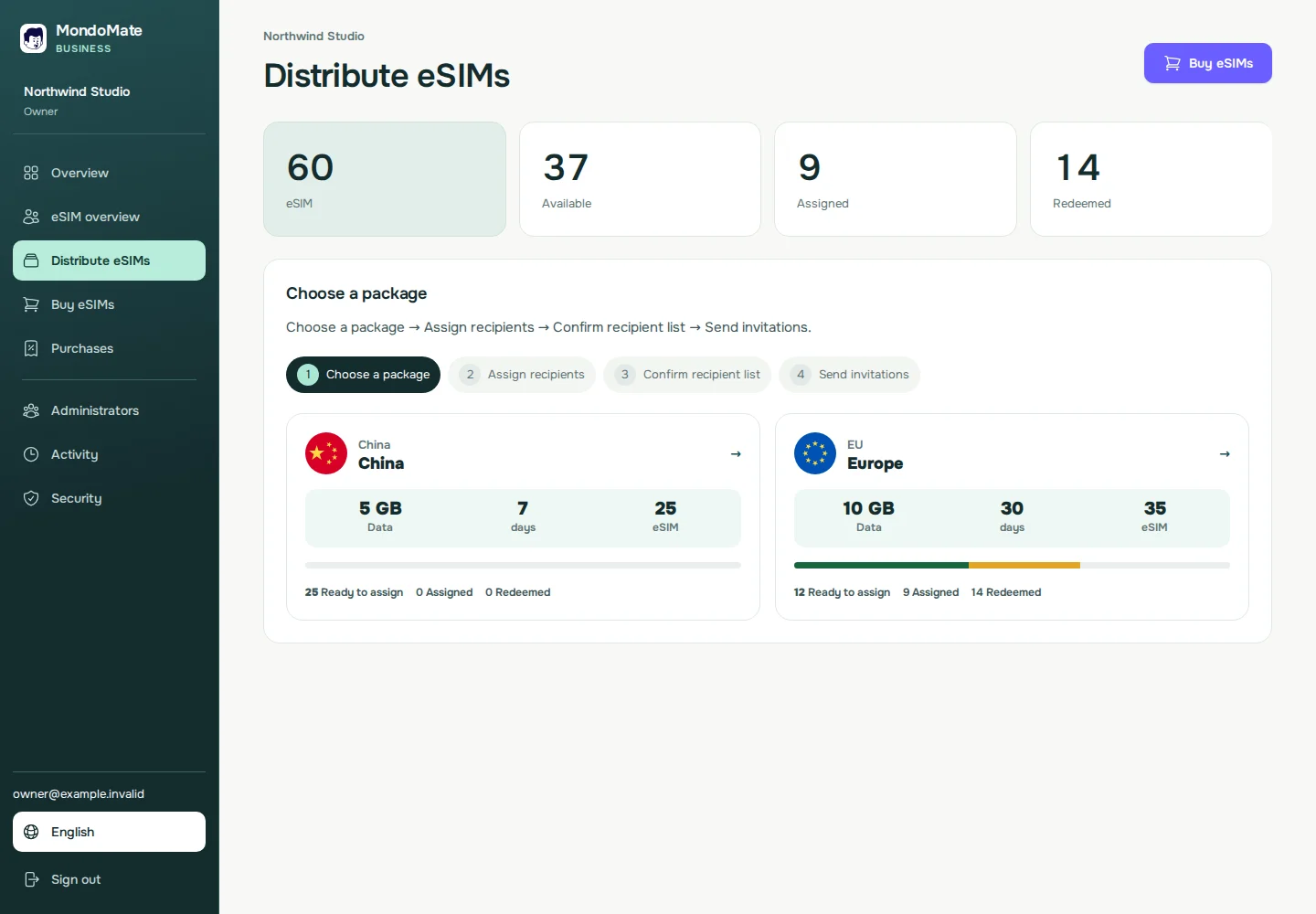
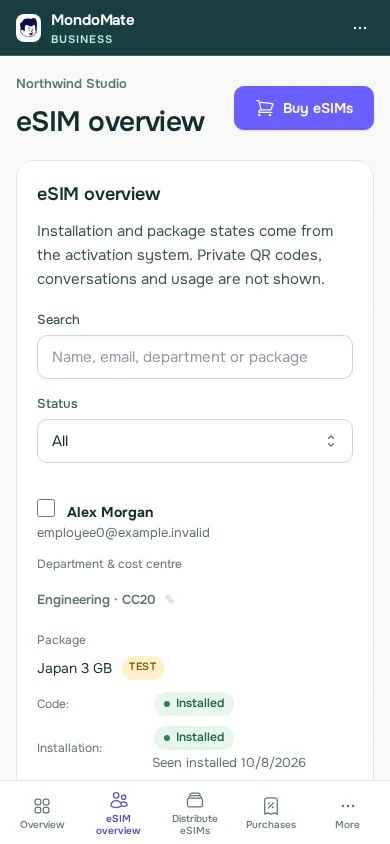
You manage access and purchases. Your people’s data stays their own.
Sign in with Google (SSO) or a one-time code sent to your work email. Supports two-step verification with an authenticator app and recovery codes.
Owner, administrator or viewer. Owners can always buy; administrators get buying permission separately.
No access to detailed data usage, live location, eSIM credentials or private support conversations. Optional Monthly extensions show country or region charges.
See who bought, assigned codes and granted access.
Payment is handled by Stripe. A receipt for every order and CSV export for bookkeeping.
Several companies? Switch between them with the same sign-in if you have access to more than one.
AI assistants Pilot
Connect MondoMate Business to ChatGPT or Claude. Get answers right away, or let the assistant prepare a task. You always approve it yourself.
Try asking
3 of 12 haven’t installed yet.
 Sales team · USA
How to connect
The assistant only sees what your role gives access to. You can disconnect at any time.
Missing an answer? Write to us.
The portal shows payment, delivery and installation status. It does not show detailed data usage, live location or private support conversations. If automatic Monthly expansion is enabled, its country or region charges are visible to the company and may reveal a travel destination.
Owners can always buy. Administrators can buy if an owner has given them buying permission. Viewers can only look.
Unused eSIMs can be distributed until they expire.
The same destinations and packages you find on mondomate.org.
Sign in with Google (SSO) or a one-time code sent to your work email. Supports two-step verification with an authenticator app and recovery codes.
Flex is one-off packages you hand out as codes; each package starts when it is first used. Monthly is a plan for one named traveller, billed every month to the company card until you cancel.
No. Travellers get their own personal eSIM access. Only the people you add as owners, administrators or viewers can use the company portal.
Create your company account online and start buying and distributing eSIMs for your team.
Already have access? Sign in to Business
Sign in with Google (SSO) or a one-time code sent to your work email. Supports two-step verification with an authenticator app and recovery codes.